Programmable Logic Controller (PLC) Installation and Troubleshooting

The THORS Programmable Logic Controller (PLC) Installation and Troubleshooting course is designed to provide learners with a comprehensive understanding of the various steps involved in the installation of a Programmable Logic Controller (PLC) along with the issue identification and troubleshooting process. Ready to take the next step? Explore the course details and see everything we’ve packed into this program!

Learning Hours: 2

Representative or member of a corporation, educational institution, or trade organization? Contact us to discuss special pricing and additional benefits, including course activity reports for your group.

Contact Sales For Group Pricing

Course Description

The THORS Programmable Logic Controller (PLC) Installation and Troubleshooting course provides an understanding of the various steps involved in the installation of a PLC system. The course also covers troubleshooting of PLC systems through diagnosing, maintaining, and resolving. Learners are introduced to systematic approaches to identify hardware failures, software problems, and communication errors while implementing maintenance strategies to minimize downtime.

YouTube player

Who will benefit from this PLC installation and troubleshooting course?

Quality, manufacturing, engineering, design, testing, purchasing, and sales functions at organizations that require a basic understanding of PLCs.

This manufacturing course by THORS eLearning Solutions covers understanding and application of the covered topics.

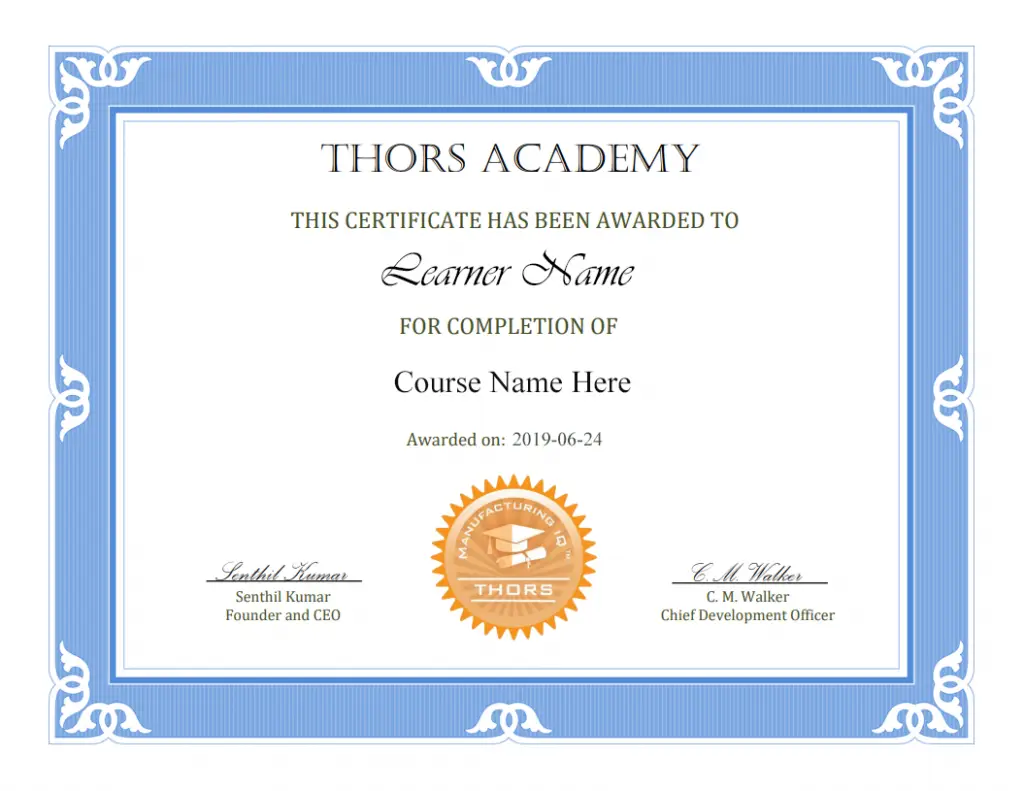
Certificate Awarded for Programmable Logic Controller (PLC) Installation and Troubleshooting

Example of certificate awarded upon successful completion of the course.

*upon successful completion

Related Posts

Learning Objectives

  1. Recognize the various infrastructures and precautions needed during PLC system setup.
  2. Define the steps involved in the prestart-up and start-up processes.
  3. Identify the common checkpoints used for diagnosing issues in PLCs.
  4. Explain the different types of issues that can occur in a PLC system.
  5. Describe the common tasks involved in PLC maintenance and their role in supporting reliable PLC system operation.
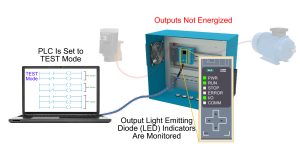
PLC installation and troubleshooting process illustrated using a PLC in TEST mode, with output LED indicators monitored and connected motor outputs not energized.
Programmable Logic Controller (PLC) Installation and Troubleshooting Course

Table of Contents

  1. PLC Installation Process
    1. PLC System Setup
      1. Infrastructure Setup
        1. Site Planning
        2. PLC Cabinet
        3. Power Source
        4. Power Supply Module
        5. Input/Output (I/O) Setup
          1. Wiring Inputs
          2. Wiring Outputs
        6. Control Relay
        7. Emergency Stop Circuit
        8. Communication Setup
          1. Software Configuration
          2. Hardware Connections
      2. Precautions
        1. Leaky Input Correction
        2. Inductive Load Suppression
        3. Overload Protection
        4. Shielding
    2. Prestart-Up
    3. Start-Up
      1. Diagnostic Indicator Inspection
        1. System Level LEDs
        2. Module Level LEDs
      2. Static I/O Verification
      3. Control Program Validation
      4. Dynamic System Checkout
  2. PLC Troubleshooting Process
    1. Issue Diagnosis
    2. Issue Types
      1. Component Issues
      2. Electrical Issues
      3. Environmental Issues
        1. Excessive Heat
        2. Dust and Contaminants
        3. Excessive Electrical Noise
        4. Vibration
        5. Condensation
      4. Communication Issues
      5. Software Issues
        1. Programming Issues
        2. Corrupted Memory
    3. Maintenance
      1. Internal Maintenance
      2. External Maintenance
      3. Service Maintenance

Request Course Demo